
- Overview
- Quick Start
- Introduction
- Guides
- Client Libraries
- API Reference
- Examples
- DDD Resources
- Validation user guide
- Validation developer guide
- Security
Overview
Users can extend the Validation library by providing custom Protobuf options and code generation logic.
Follow these steps to create a custom option:
- Declare the option as a Protobuf extension in your
.protofiles. - Declare the event and view state — the Protobuf types that track the option’s discovery during compilation.
- Implement the
Reaction— discovers and validates the option. - Implement the
View— accumulates valid option applications. - Implement the
Generator— generates Java code for the option. - Register the option via
io.spine.option.OptionsProviderand wire up the entities viaio.spine.tools.validation.java.ValidationOption. - Pass the option to the Compiler so the build plugin can discover it.
Below is a workflow diagram for a typical option:
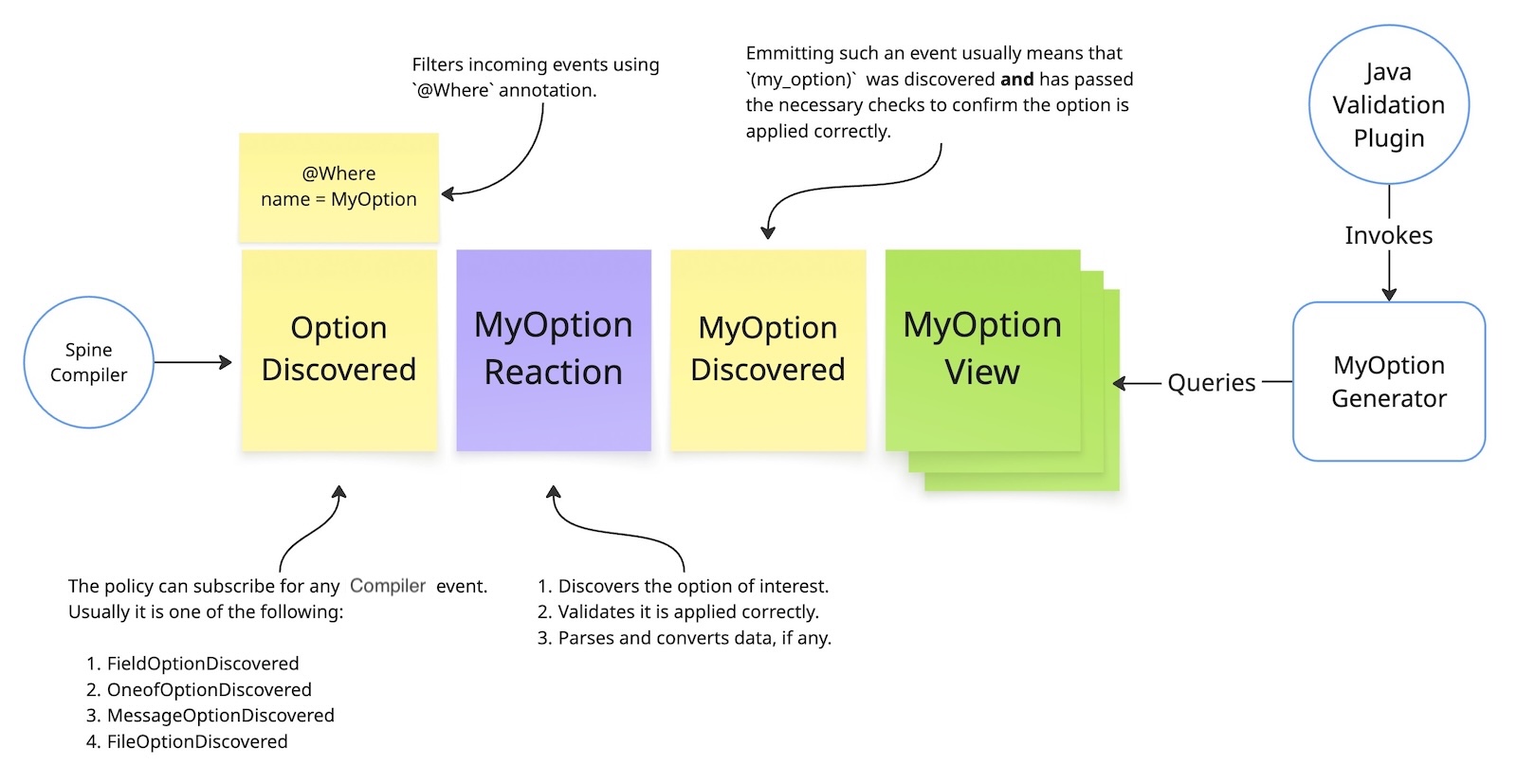
Note that a custom option can provide several reactions and views, but only one generator. This allows building more complex models using more entities and events.
Components
Reaction
Subscribes to *OptionDiscovered events and filters them by option name.
See “Implement the Reaction” for details.
View
Accumulates events emitted by the Reaction so the Generator can query them.
See “Implement the View” for details.
Generator
Produces Java code for every application of the option within a message type.
See “Implement the Generator” for details.
Running example
Throughout this section, the (when) option from the Spine Time library serves
as the running example. Spine Time is a library of Protobuf-based date and time types for
business models. It defines its own Protobuf message types — such as LocalDate, LocalTime,
and ZonedDateTime — and provides converters to and from the standard Java Time API. Among
other features, it ships a (when) validation option that constrains a time-typed field to
hold either a past or a future value. The complete source for the running example lives in the
validation module of the Spine Time repository.